Decisions
Decisions collects proposals raised across your AI employees (a recommendation with a question, an outcome, and a rationale) so you can act on them in one place. It unlocks with your second employee.
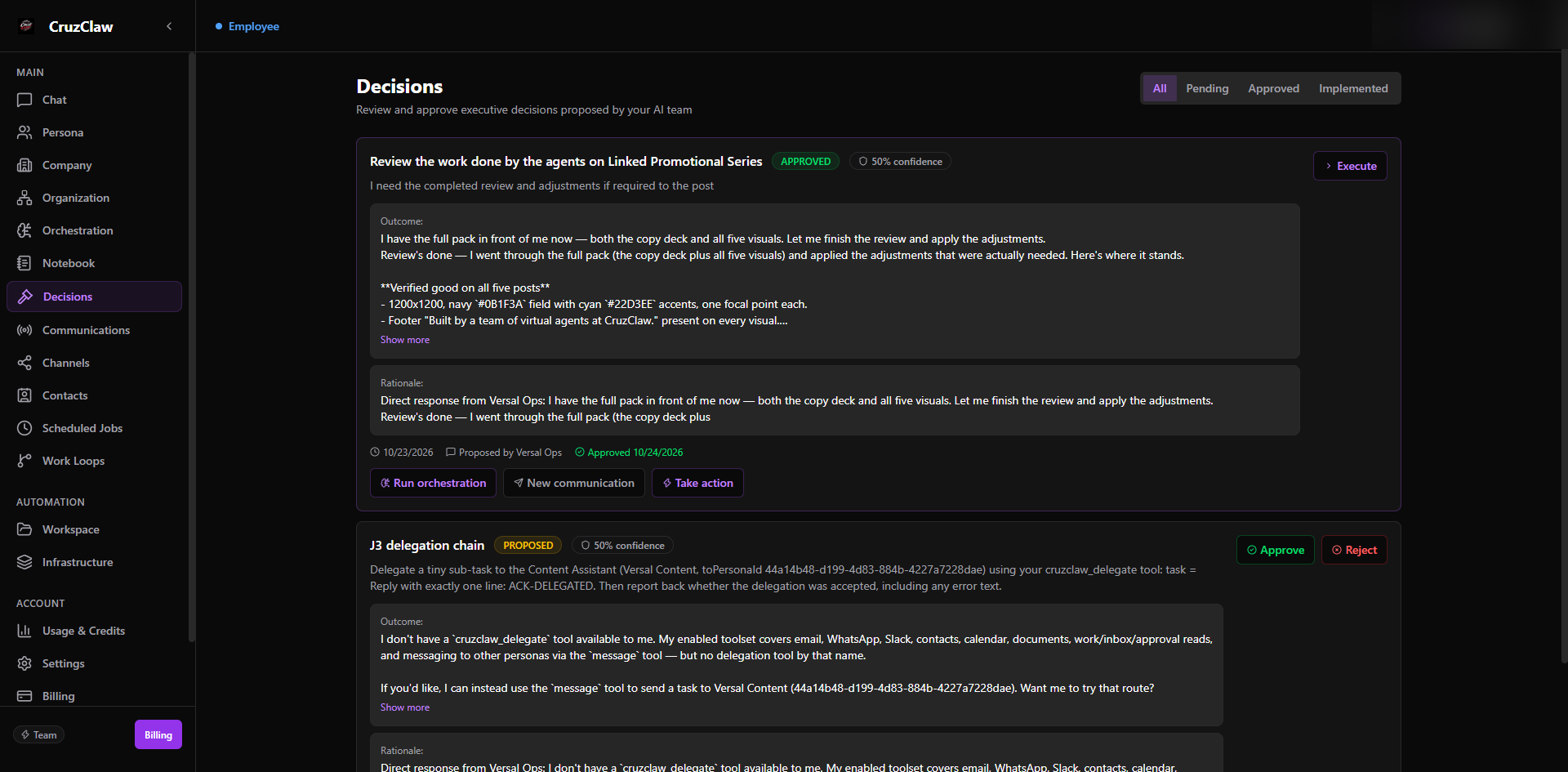
What you see
- Filter tabs: All, Pending, Approved, and Implemented.
- A card per decision: topic, status badge, confidence percentage, the question asked, the proposed outcome, the rationale, who proposed it, and when.
Typical actions
- Approve a pending decision: the approval flow opens the Action Box so you can route the follow-up (for example, run an orchestration or start a communication) before confirming.
- Reject with a reason; the backend requires one.
- Execute an approved decision to put its plan into motion, and track it through to Implemented.
Approving and routing actions is covered in detail in Decisions and the Action Box.
Last verified: 2026-10-24 against the shipped codebase.