Chat
Chat is your primary conversation surface. It opens on the most recent conversation with your employee and streams replies live over a persistent connection, so a chat survives page changes and continues where you left off.
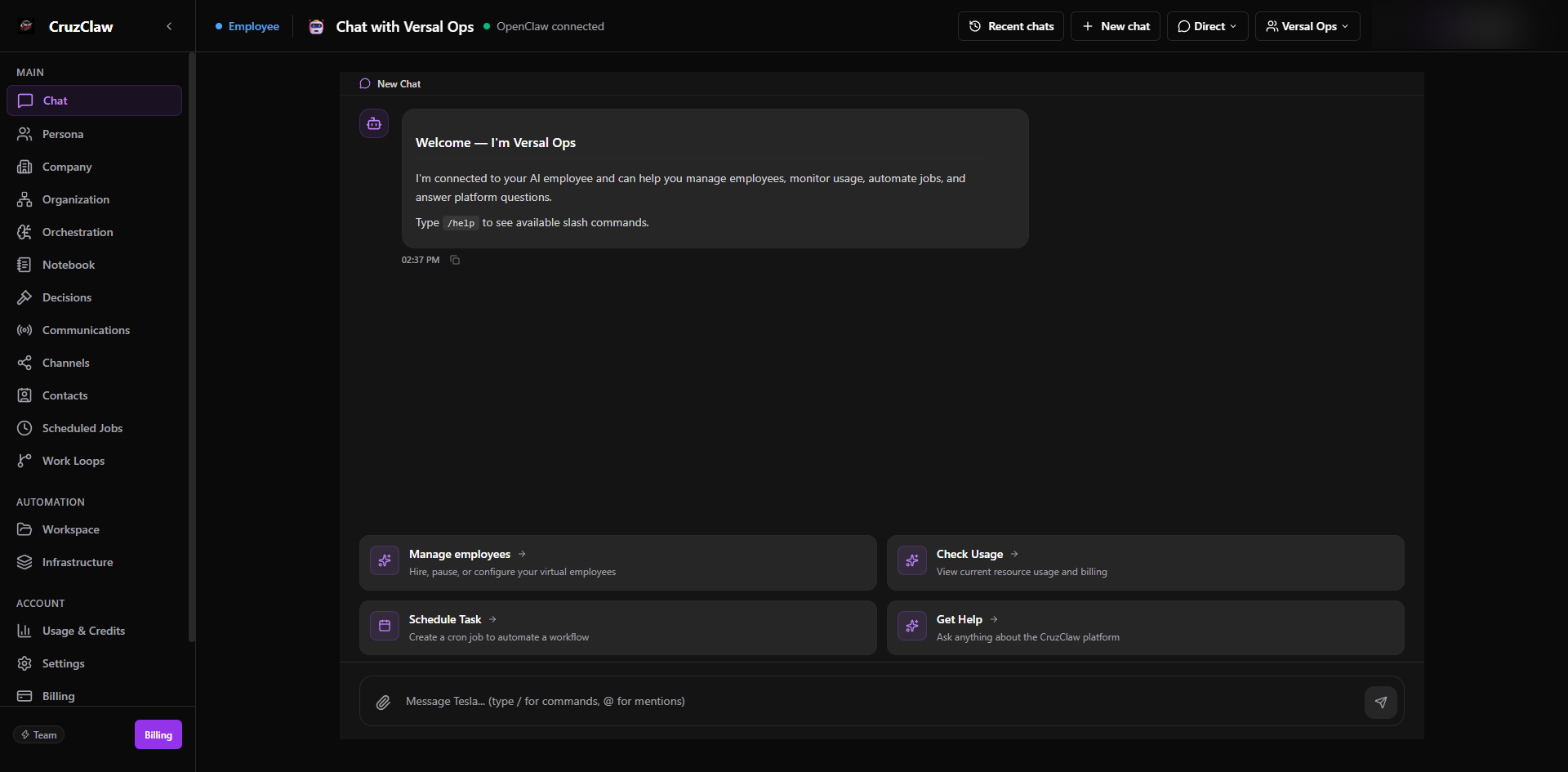
What you see
- The message stream, with an indicator at the top showing which conversation is active (archived conversations are marked read-only).
- A composer with suggested prompts when a chat is new, and an employee switcher in the header to choose who you are talking to.
- A mode picker in multi-employee teams: Direct (one employee), Orchestrator (your team leader delegates and synthesizes), Group (chat with all employees), and Debate (structured rounds plus a synthesis).
Typical actions
- Pick an employee and send a message; use
@in the composer to pull another employee into the reply. - Switch modes to delegate through the team leader or compare positions in a debate.
- Revisit earlier conversations through the recent-chats view.
If the connection drops, a slim banner appears at the bottom: you can keep typing; messages send once the connection returns.
Last verified: 2026-10-24 against the shipped codebase.